
 عربي
عربيYour lunch.Between lectures.
Choose your food from campus restaurants, order on your phone, and follow your order until it is ready. Make more of your break.



Choose. Order. Collect.
-
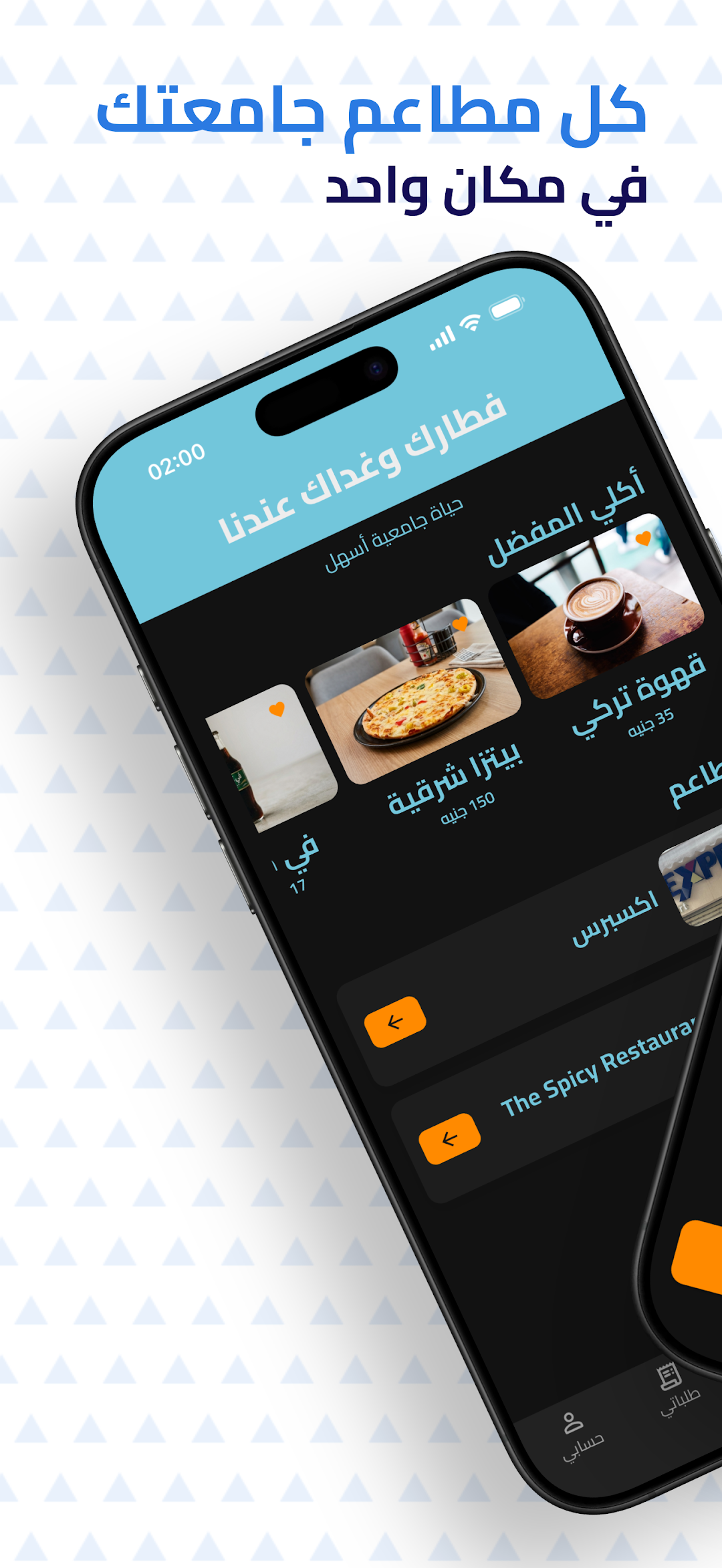
01 / Find what you fancy
Browse your campus restaurants, menus, and prices wherever you are.
-
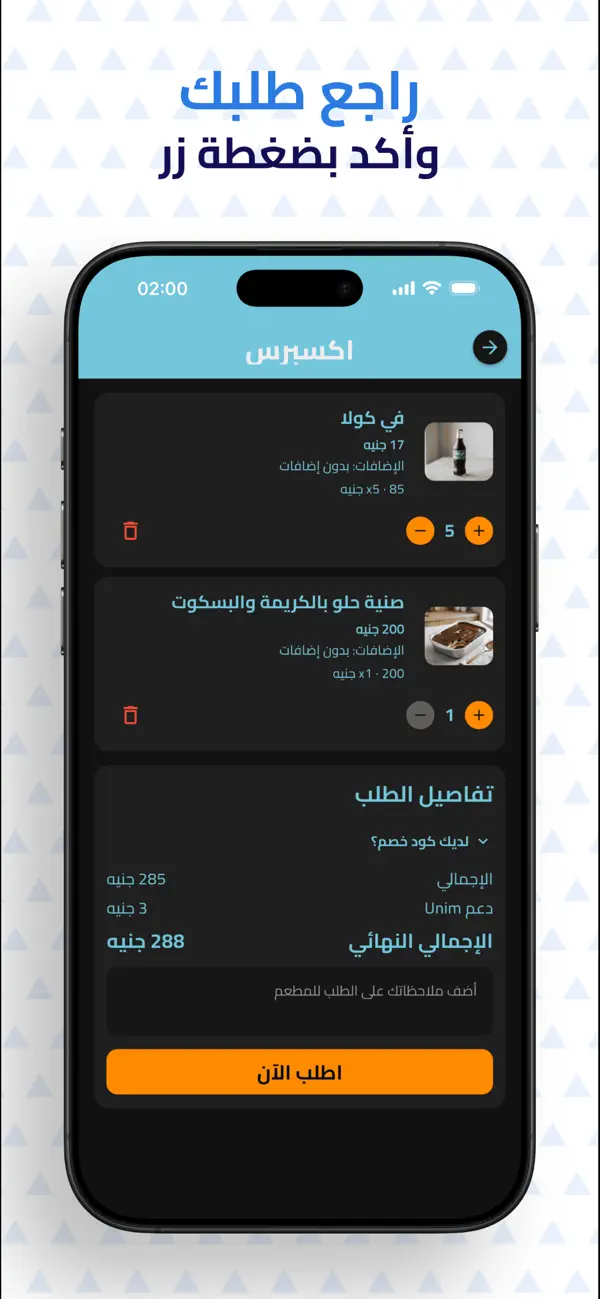
02 / Make it your order
Choose your extras, add a note, and review your order before confirming.
-
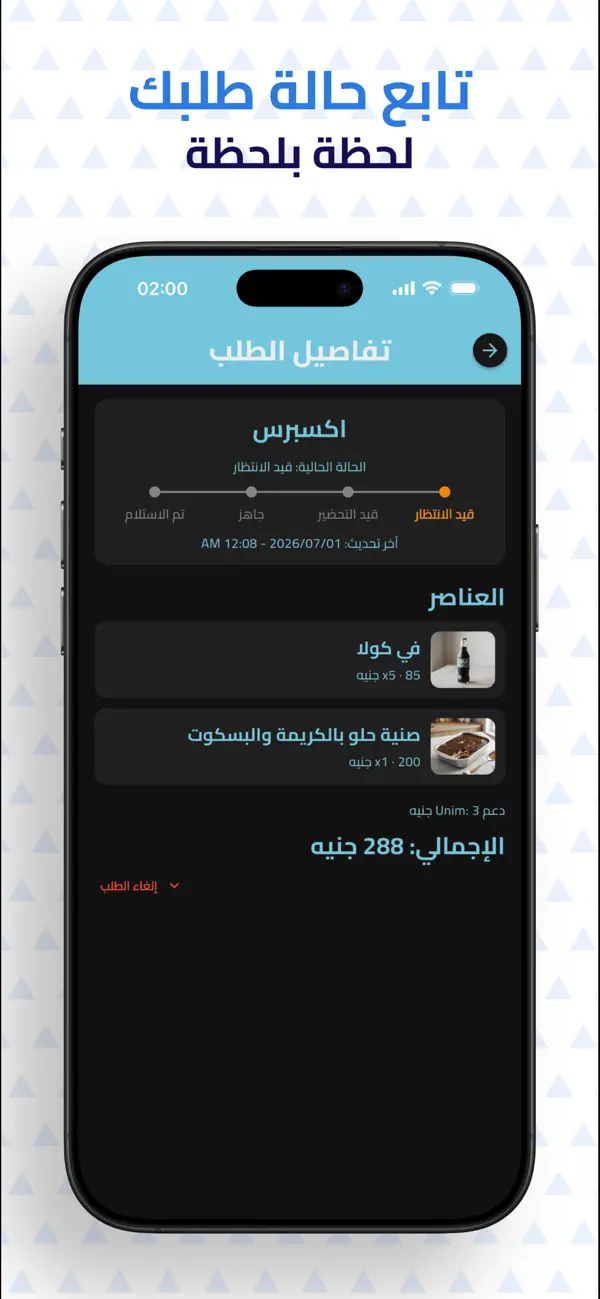
03 / Collect and carry on
Follow your order until it is ready, then collect using the option you chose in the app.
Before you order

How do I collect my order?
Choose an available collection option when you order. You can collect at the restaurant, or at a campus meeting point if the restaurant offers delivery. Your order details show the collection method and a pickup code once the restaurant accepts your order.
How will I know my order is ready?
Follow your order status in the app. You will get a notification when the restaurant updates your order and when it is ready. Keep Unim notifications enabled to receive updates.
Can I browse before signing up?
Yes. Open the app as a guest and choose your university to browse its restaurants and menus. To place an order, create your account and complete verification.

Want Unim on your campus?
Send your university name and city to let us know you are interested in bringing the service to your campus.
Request Unim for your campus →For universities and restaurants
Universities →
Discuss bringing Unim to your campus.
Restaurants →
List your menu and receive student orders.

Next break,make it Unim.